Less paperwork. More road.
You drive.
Your logbook comes along.
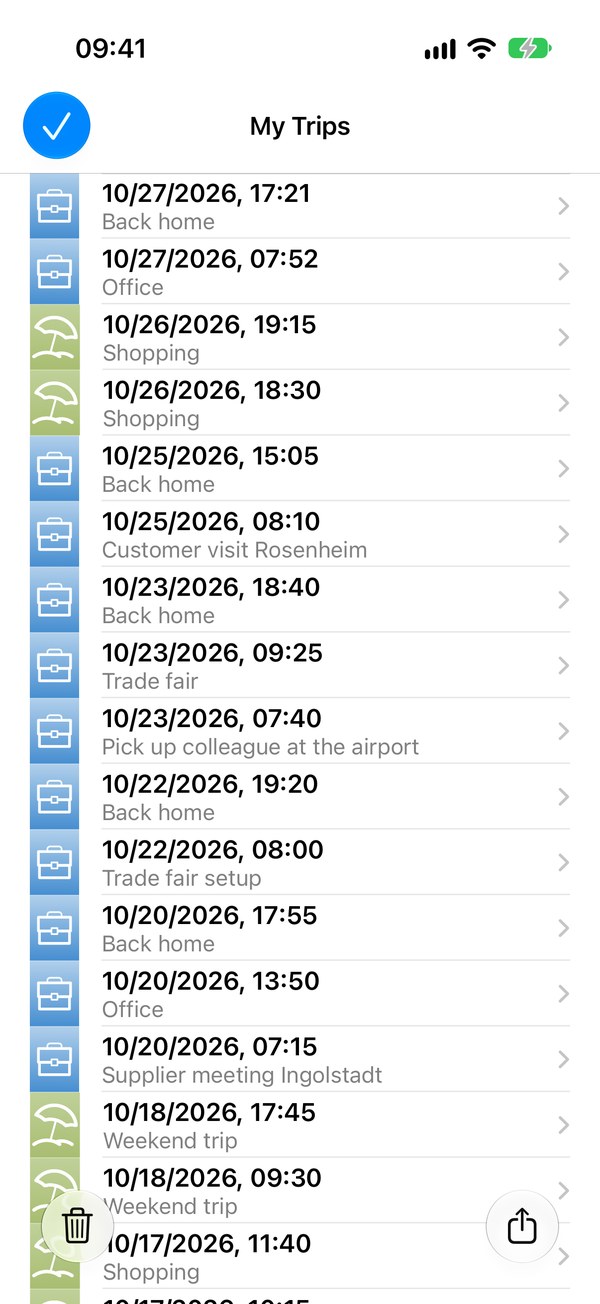
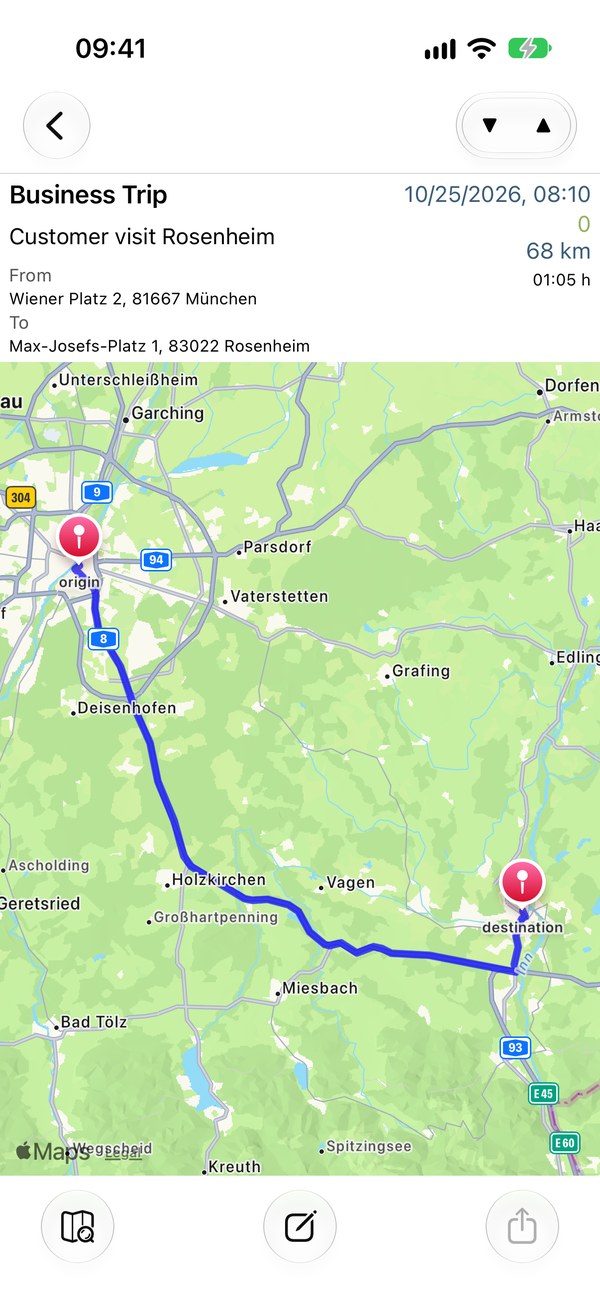
Drivers Logbook notices when you are driving and records your trip. At your destination, choose: business or private.
Contact & supportHow it works- Automatic detection
- PDF & CSV
- No account
The workflow
From getting in to filing away.
Get in and drive
Motion and location detect trips automatically. Optionally, use your car’s Bluetooth device as an additional signal. You can also start and stop by hand.
Give it a purpose
Keep business and private trips apart. Get purpose suggestions from earlier trips and, if you choose, your calendar.
Export and file
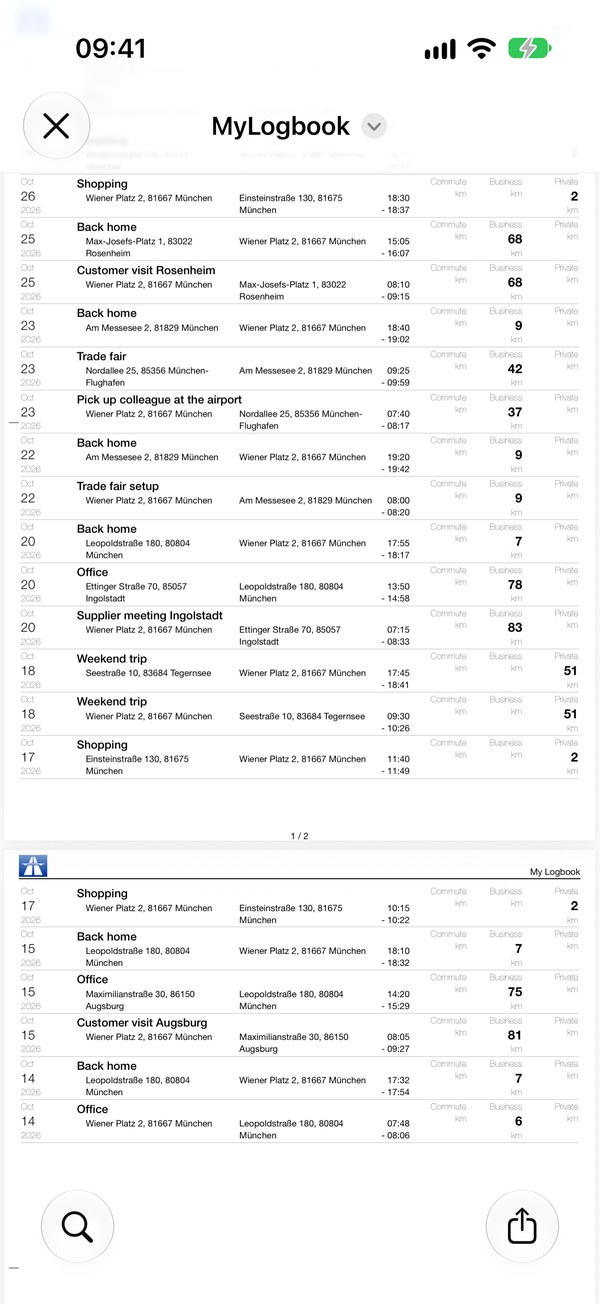
Create a PDF to print or share. Export CSV to continue in Excel, Numbers or your accounting workflow.
PDF & CSV
The trip details. All in your logbook.
Each trip includes start and destination addresses, time, duration and computed start and end mileage. Edit entries later and choose kilometers or miles.
Parking remembered
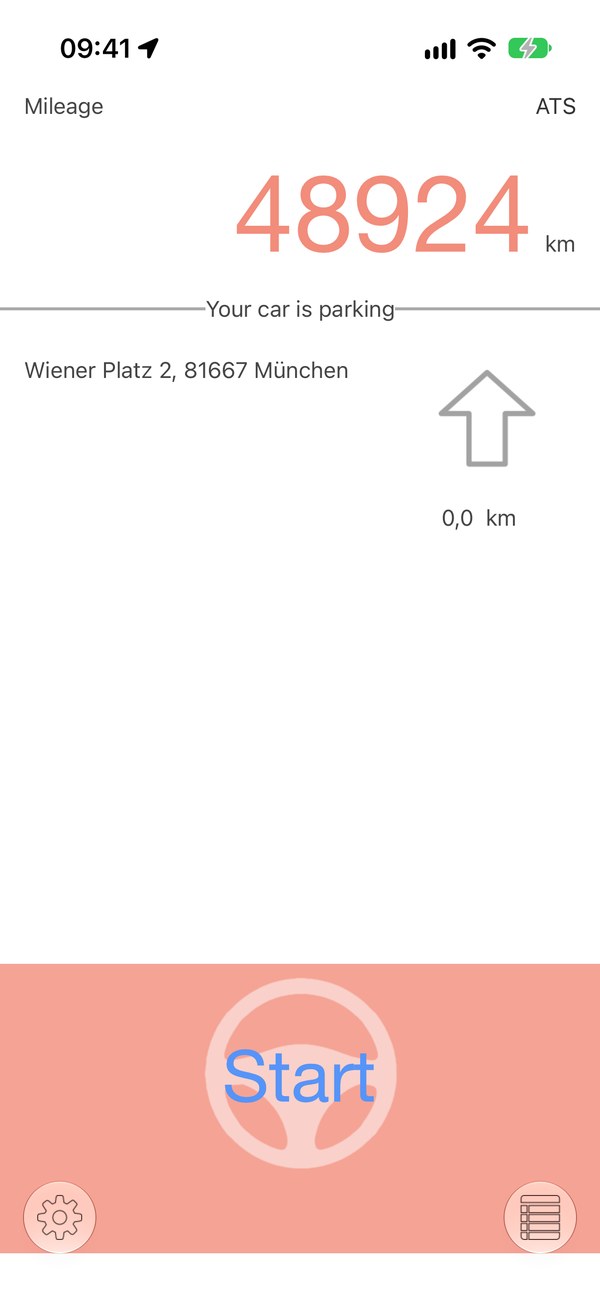
Find your way back to the car.
Drivers Logbook saves your parking spot. An arrow shows the direction and distance back to your car, after a customer visit or a shopping trip.
More than one car
Drivers Logbook can distinguish vehicles by their assigned Bluetooth devices.
Bring your old logbook along
Open the file created by “Export Logdb” in the old app. Business and private trips are imported with their routes.
Before you drive
- Automatic detection needs background location and motion access. Bluetooth and calendar access are used for the respective optional features.
- Background location use can reduce battery life. Review your trip records and mileage regularly.
- Trips are stored locally on your iPhone. The app does not offer iCloud synchronization.
- Acceptance by a tax authority is not guaranteed. Check the requirements that apply to your logbook.