Interval timer with voice cues
Find your rhythm.
Keep your focus.
Build your workout once. Let PhaseFlow count you through every phase, so your eyes can stay on your form.
Contact & supportExplore the workouts- Prepare
- Work
- Rest
A voice that keeps you moving
Three. Two. One. Go.
Hear the next phase
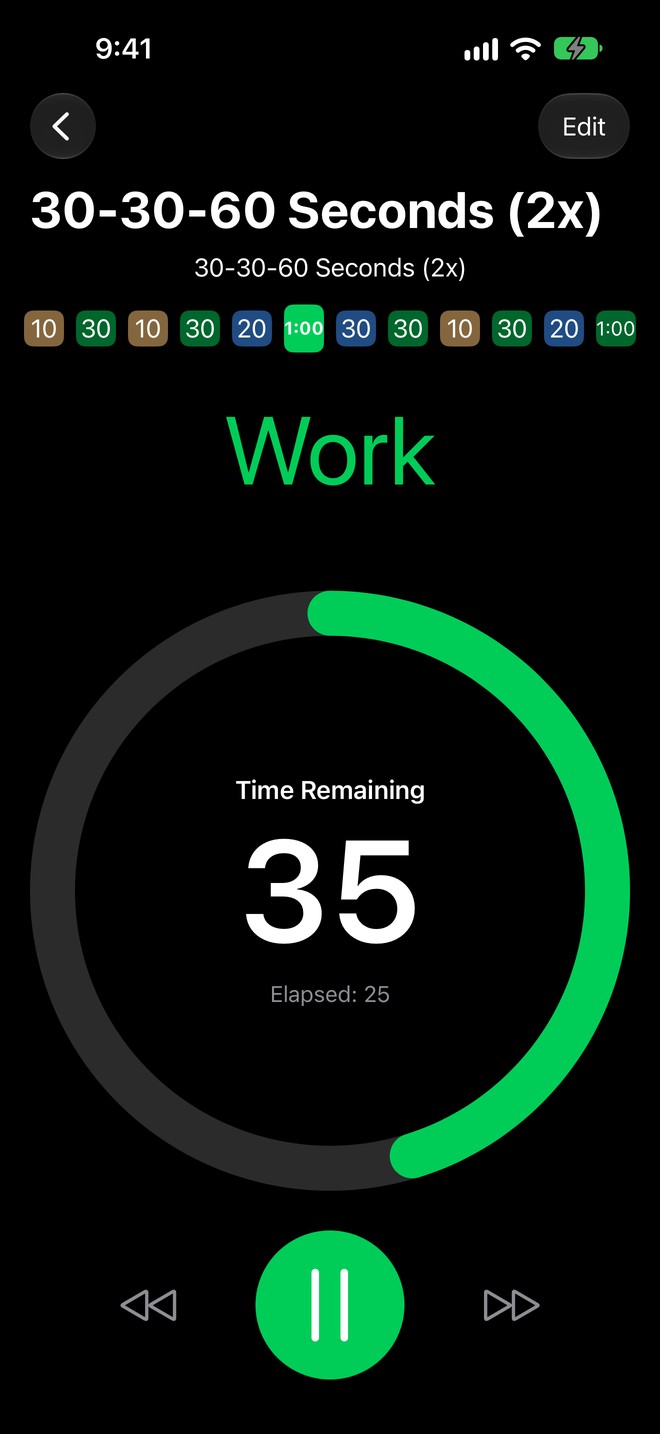
A spoken countdown leads into each phase. Coaching cues tell you when to work, when to rest and when you are nearly done.
Keep your music playing
Your own music only dips while a cue is spoken. Prefer a quiet session? Turn off the voice in Settings. Keep the app open for continuous spoken cues; speech may stop when the phone is locked or the app is in the background.
See your progress
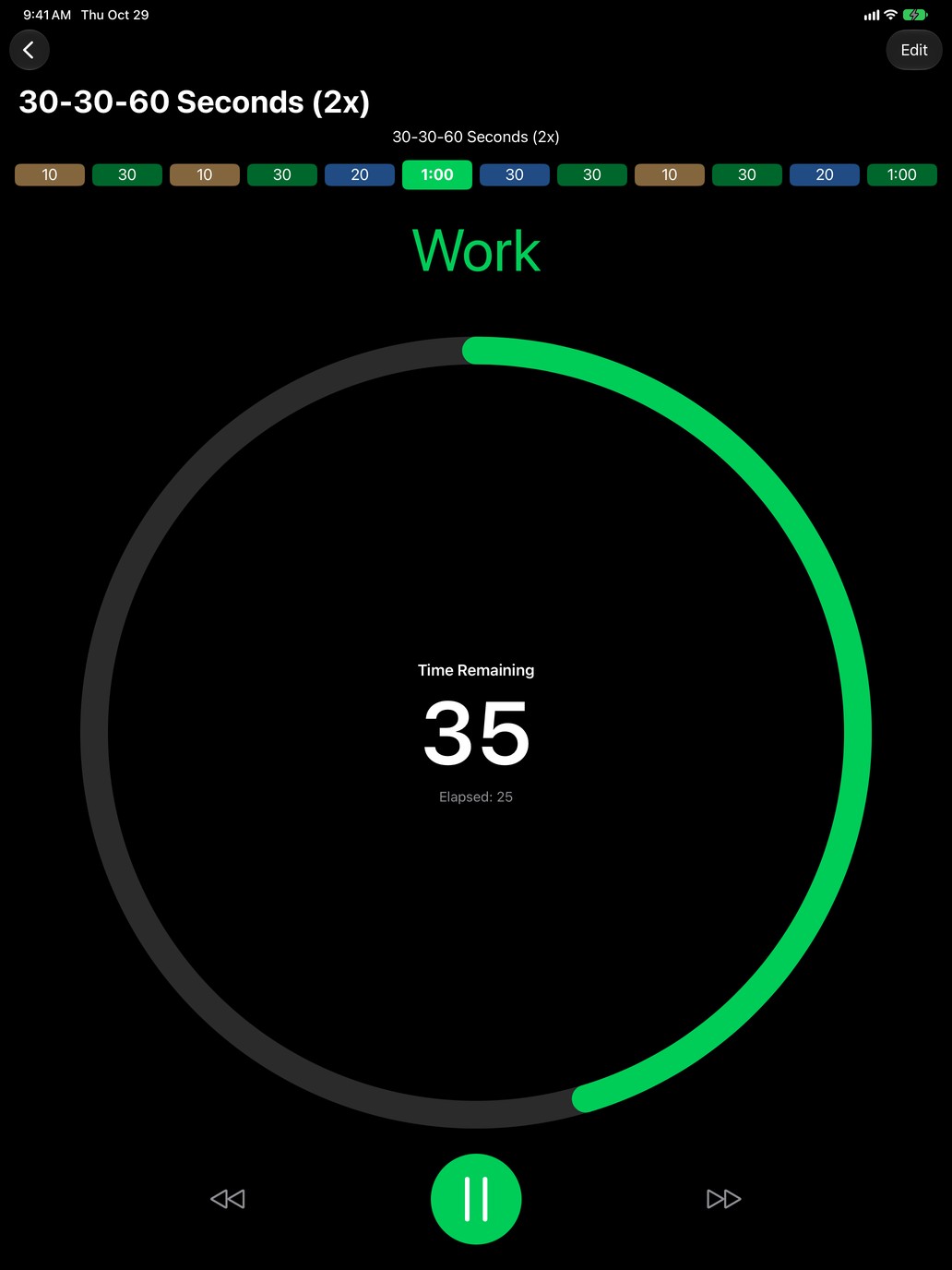
The ring shows time remaining in the current phase. The phases bar shows your place in the workout. Pause, resume or skip ahead when you need to.
Built from phases
Your routine.
Your timing.
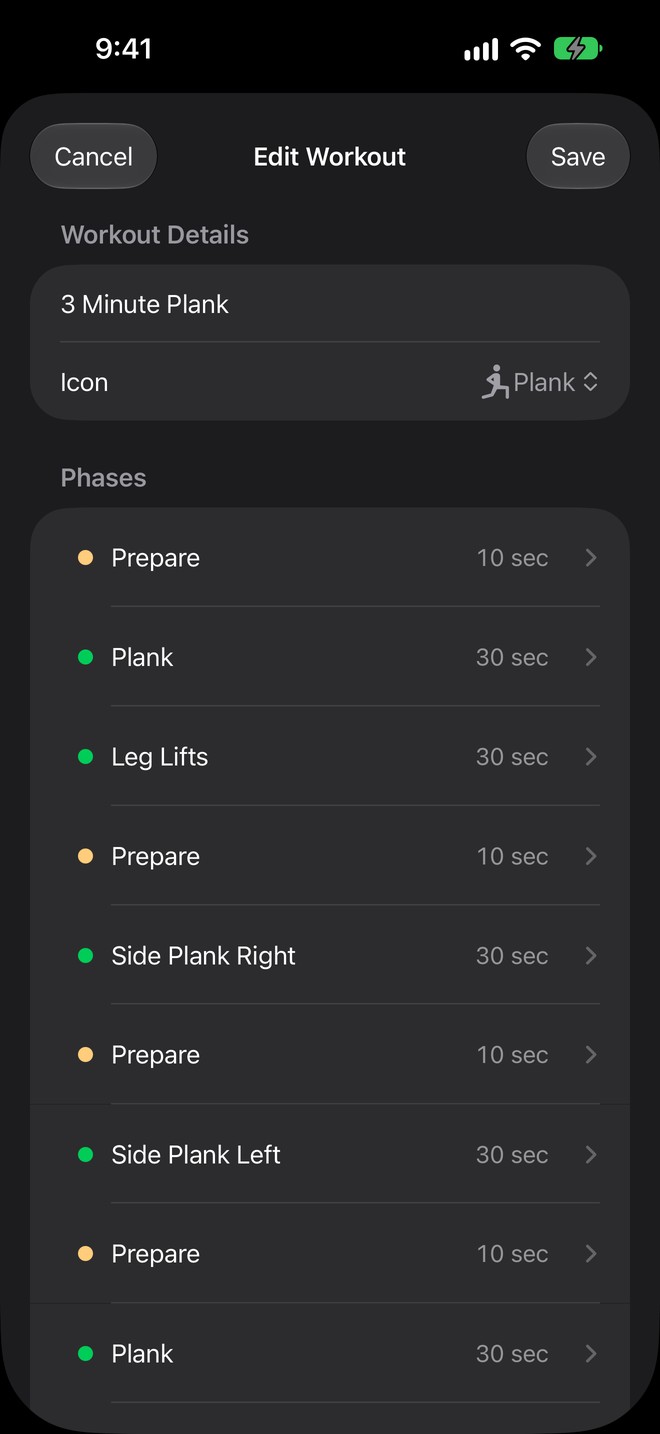
Prepare, work, rest, cool down. Give each phase a duration and a name, then wrap phases in a Repeat block for as many rounds as you need.
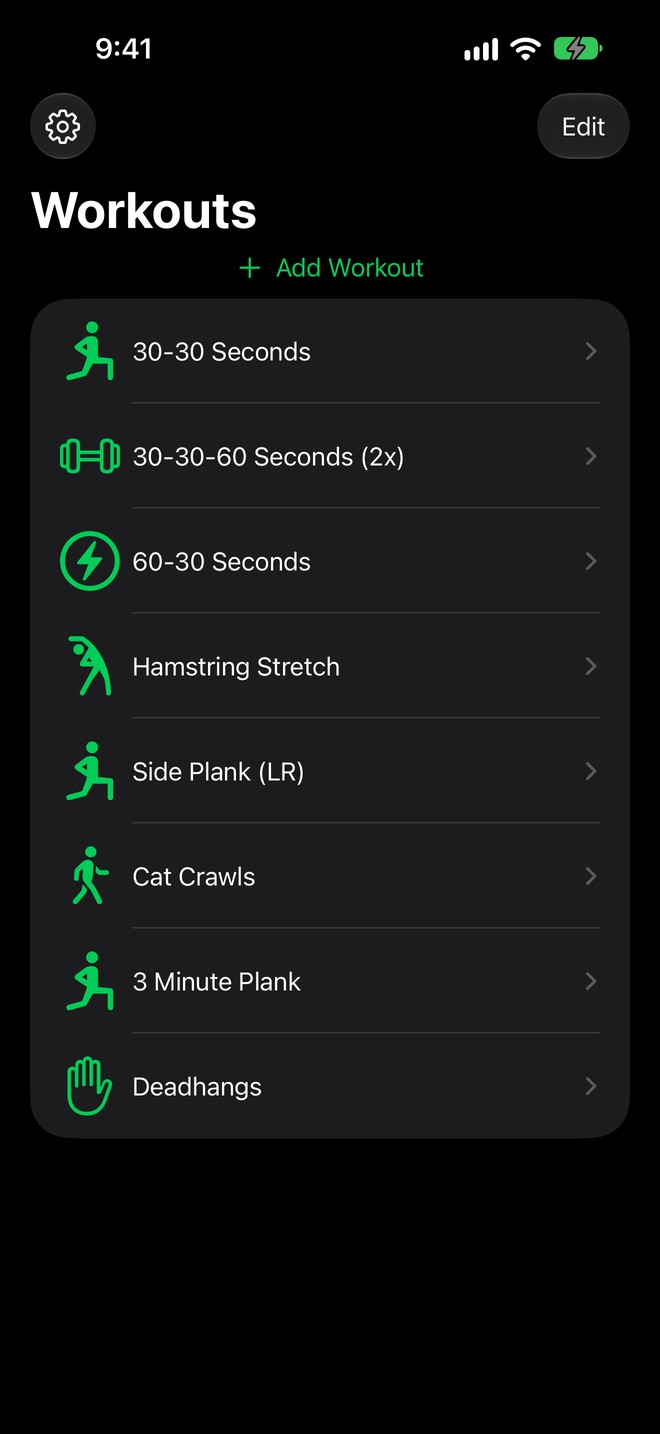
Choose an icon, arrange your workout list and come back to your routines with a single tap. Start with the samples or build your own from scratch.
On your wrist
Leave the phone
in the locker.
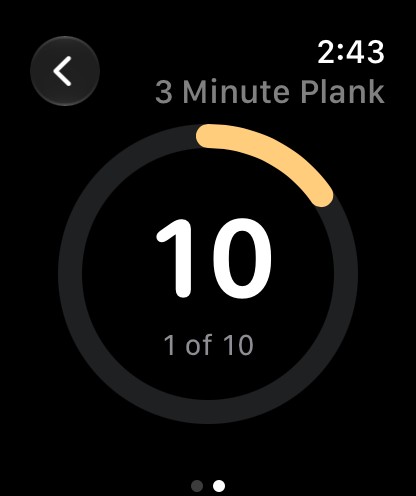
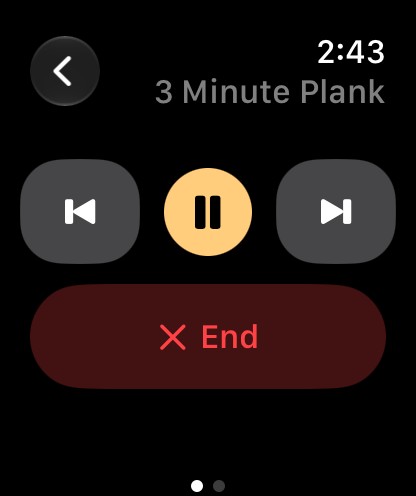
Run workouts directly on Apple Watch. A haptic tap marks each change of phase, so you can follow the timer from your wrist.
If a workout is already running on your other device, PhaseFlow offers to take over. The devices need to be able to reach each other to stop the other timer.
Across your devices
One set of routines.
Ready where you are.
Your workouts sync through your own iCloud account to iPhone, iPad and Apple Watch. There is no separate PhaseFlow account to create.
On iPhone, follow the current phase from the Lock Screen or Dynamic Island on supported models. Pause, skip or stop with the Live Activity, or use Siri to pause, resume, skip or stop a running workout.
Make it comfortable
A timer that adapts.
VoiceOver, Dynamic Type and Reduce Motion are supported. Choose whether the screen stays awake and whether a phone call pauses your workout.
What you need
- iPhone or iPad with iOS / iPadOS 18.5 or later.
- For the Watch app: watchOS 11.5 or later.
- iCloud for syncing your workouts between devices.
- The app interface and spoken cues are in English.
Get in touch
A question about PhaseFlow?
Contact Verilob for product questions and support.
Contact & support